

Most MSPs think about backup storage the same way they think about bandwidth or compute: a cost to manage. Something to monitor so it doesn’t get out of hand.
That framing misses the bigger opportunity. Storage consumption data isn’t just an operational metric. It’s pricing intelligence.
Here’s the question that actually matters: are you pricing storage based on how your customers use it, or are you guessing? If a customer’s storage footprint has grown 40% over the past year and their invoice hasn’t moved, you already know the answer. You’re absorbing that growth instead of pricing for it.
The fix starts with looking at consumption data differently. Not as a number to control, but as information that tells you where your margin is leaking and where your next expansion conversation is waiting.
The Flat Price Trap
Here’s how it usually happens. A customer signs on with a set backup storage tier. Over the next year, their protected data grows: more endpoints, longer retention windows, more frequent backup jobs. Nobody flags it because nothing breaks. The backups run fine. The customer’s happy. The invoice looks the same as it did twelve months ago.
That’s the trap. Backup storage growth doesn’t trigger an alert the way a failed job does. It just quietly increases your cost to protect that customer’s data, month after month, while the price stays fixed.
Run the math on a single customer and it looks small. Run it across your full book and it adds up fast. Every account where backup consumption has outpaced pricing is margin you’re giving away, not margin you’ve lost to competition or bad luck. You’re the one setting the price. If it’s wrong, it’s fixable.
The first step isn’t a pricing overhaul. It’s visibility. You need to know, account by account, where backup storage has grown and where pricing hasn’t followed. Most MSPs can’t answer that question today, because nobody’s connected the two data sets: what customers are actually storing and what they’re actually paying.
Not All Backup Storage Growth Is An Upsell
Every backup storage spike is not a sign of growth. Two customers can show the exact same chart, backup storage up 50% over six months, and the right response for each one might be completely different.
For one customer, that growth is a good sign. They’re adding employees, opening locations, generating more data because the business is doing well. That’s an upsell conversation waiting to happen: a plan upgrade, expanded coverage, maybe a broader service offering. You’d be leaving money on the table by not having it.
For another customer, the same chart might mean something else entirely. A retention policy nobody’s revisited in two years. A misconfigured backup job duplicating data it doesn’t need to. An application generating far more log data than it should. That’s not growth to monetize. That’s waste to fix, and probably a conversation about optimizing their environment, not upgrading their plan.
The data alone can’t tell you which one you’re looking at. A number going up is a signal, not a verdict. It’s the starting point for a conversation, whether that’s with your team about configuration, or with the customer about what’s actually driving the increase. Treat every spike the same way and you’ll either miss real revenue opportunities or push unnecessary upgrades on customers who just need a cleanup.
Monetize, Optimize, or Investigate
Once you can see where backup consumption has moved against pricing, the next question is what to do about it. There are really only three moves.
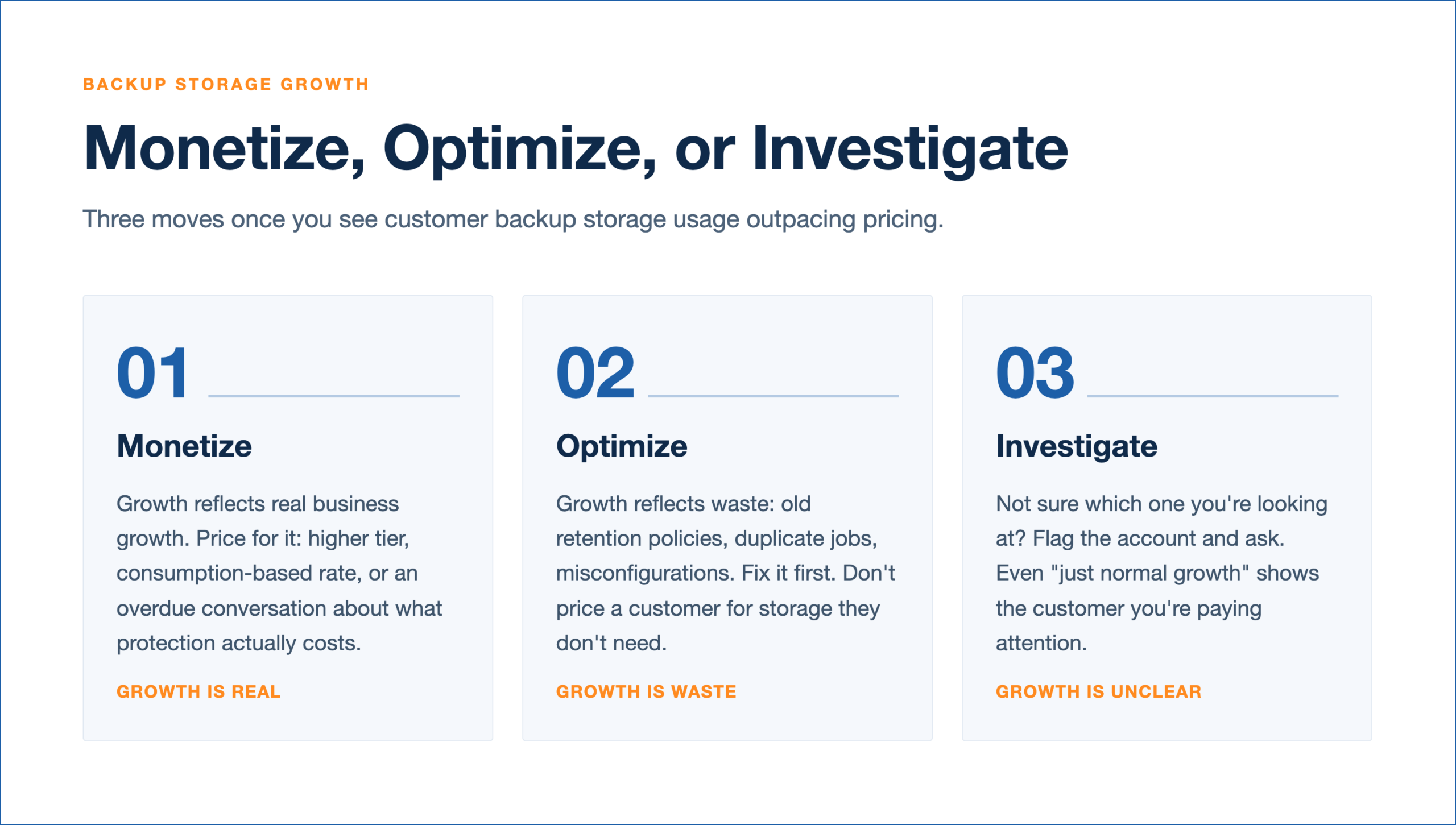
1. Monetize. If a customer’s storage growth reflects real business growth, price for it. That might mean moving them to a higher tier, adjusting a flat rate to something consumption based, or simply having the conversation about what their current footprint actually costs to protect versus what they’re paying. This is the most straightforward path and often the one MSPs skip because it feels like an awkward conversation. It’s not. It’s just an overdue one.
2. Optimize. If the growth is coming from something avoidable, retention set longer than the customer needs, duplicate jobs, an application backing up more than it should, fix that first. Don’t price a customer for waste. Clean up the configuration, confirm the storage number drops, and then decide if a pricing conversation is still needed. Optimizing first protects the relationship and builds goodwill. You’re solving a problem for them, not just raising a bill.
3. Investigate. Sometimes you genuinely do not know which one you are looking at. That’s fine. Not every spike needs an immediate answer, but it does need a question. Flag the account, dig into what’s driving the number, and use that as the opening for a conversation with the customer about their environment. Even if the answer turns out to be “this is just normal growth,” you’ve shown the customer you’re paying attention to their environment, not just running backups in the background.
None of these paths require guessing. They require the same thing: actually knowing what each customer is storing and comparing it against what they’re paying. Without that, monetize, optimize, and investigate are just three ways of saying “hope for the best.”
See Storage Usage As A Business Report, Not A Bill
Step back from any single account and a different picture emerges. An MSP that’s tracking backup storage across its entire customer base isn’t just managing infrastructure. It has a live view into where the business itself is changing.
The customers whose storage is climbing fastest are worth a second look, not because they’re a problem, but because they’re often where the most is happening. Some of them are growing their footprint because they’re growing, period, and that growth is sitting right there waiting to be reflected in what they pay. Others are quietly becoming the accounts costing the most to serve relative to what they bring in. Both of those are worth knowing. Right now, most MSPs don’t, because the data that would tell them lives in one system and the pricing that should respond to it lives in another.
Reporting on where storage usage stands today is useful. Forecasting where it’s headed is what actually lets you plan. Knowing a customer’s storage grew 30% last quarter tells you something happened. Knowing their trajectory puts them on pace to double their footprint by next year tells you something you can act on now: a pricing conversation to have before the account outgrows its plan, a capacity decision to make before it becomes urgent, an expansion opportunity to raise while it’s still fresh instead of after the customer has already outgrown you.
This is the real shift: stop treating backup storage data as something you check when a customer complains or when storage costs spike unexpectedly. Start treating it as a running, forward looking report on where your book of business is moving. The accounts using more today, and trending toward using even more tomorrow, are very often the accounts that will define your margin, your renewal risk, and your expansion pipeline a year from now. Whether that’s good news or bad news for your bottom line depends entirely on whether you’re watching, and whether you’re looking ahead or just behind.
Stop Guessing Storage Usage. Price For What Is Happening
Backup storage data has always been sitting in your applications. The question is whether you’re using it to manage infrastructure or to run your business.
Pricing based on actual storage usage isn’t about squeezing more out of customers. It’s about making sure your pricing reflects reality, for both sides. Customers who’ve outgrown their plan get moved to one that fits. Customers who are wasting storage get help fixing it. And you stop quietly absorbing costs you never agreed to absorb.
Pull up your backup storage reports this month with one question in mind: are you pricing what your customers actually use, or are you still guessing?