Backup monitoring

See every backup, everywhere.

Automated verification, alerting and reporting across your entire backup estate — in one dashboard.
+

Monitor and report on your Acronis data protection environment, automatically

Bring Acronis backup activity into Bocada’s unified data protection view — automated monitoring, SLA reporting, and proactive alerts with no manual effort.

BackupBackup

Why monitor Acronis with Bocada

One view across your entire data protection ecosystem — from backup jobs to storage spend — spanning Acronis and every other platform you run.

Centralized backup monitoring

Track every Acronis Backup job alongside every other platform in one dashboard — no console-hopping.

Compliance & SLA reporting

Prove every Acronis backup meets its SLA with audit-ready compliance reports — scheduled, retained, and ready for review.

Automated ticketing & remediation

Auto-open tickets for failed or missed Acronis jobs and route them to the right team before they become recovery risks.

Storage management & cost oversight

Track backup storage consumption and spend trends to catch runaway costs early.

Complete oversight

Everything you need to oversee Acronis

  • Backup job success, failure & SLA tracking
  • Backup storage consumption trends
  • Audit-ready compliance reports
  • Unprotected resource detection across accounts
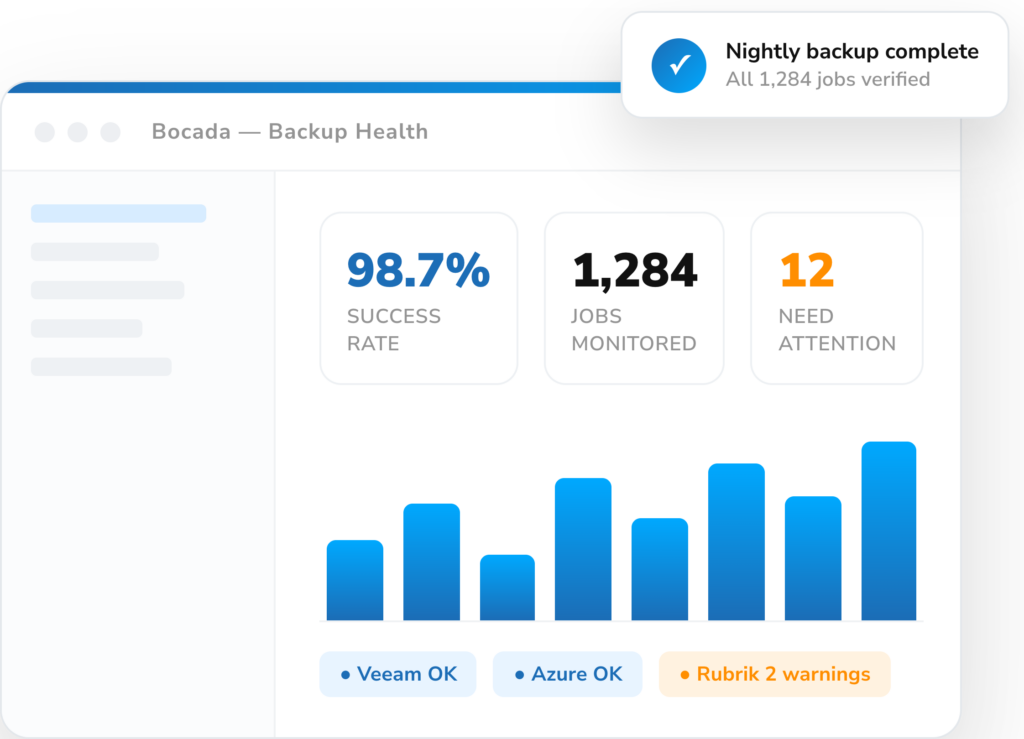
Bocada Backup Monitoring Dashboard Image

Up and running in three steps

1

Connect Acronis

Authenticate Bocada to your Acronis accounts with a read-only role — minutes to set up.

2

Bocada collects

Backup data flows into one normalized view across every account.

3

Monitor & report

Track health, automate reports, and get proactive alerts on missed Acronis backups.

Documentation & updates

Setup guides and the latest changes to the Acronis connector.

Ready to monitor your Acronis backup and data protection environment?

Menu